
Getting a Google Business Profile verified is harder than it used to be.
- More businesses are being asked to film a video.
- Some fail it with no reason given.
- Profiles that sat happily for years can be suspended after a single edit.
I sat in on a call this week with people who verify profiles every day. The most experienced person on it now gets about half of their attempts through, up from roughly one in ten.
A lot of what gets swapped in those groups is about getting around Google's checks. Google publishes what it wants to see from a business, and a real business can show every bit of it.
How Google Verifies A Business
Google picks the verification method, not you.
Its verification help page says the methods "are automatically determined by Google and can't be changed". They depend on your business type, public information, region and business hours. The options are:
- Phone or text message. A code is sent to the business number.
- Email. A link is sent to an address Google connects with the business.
- Video. Either a video you record and upload through your profile, or a live video call with someone from Google support.
- Postcard. A code is posted to the business address.
How Long It Takes
Google says a verification review takes up to 5 business days.
It also says verification can be instant when the website is verified in Google Search Console. That is the free tool Google gives website owners to see how their site appears in search. Setting it up first costs nothing.
Take Video If It Is Offered
"If your business is eligible for video verification, we recommend that you use this option." Google Business Profile Help
Video Verification: What Google Asks To See
Google's video verification page sets four rules for a recorded video:
| Rule | What Google asks for |
|---|---|
| Length | At least 30 seconds |
| Editing | One continuous take, with no edits or breaks |
| Filming | Live, on a phone |
| Uploading | From that same phone, through your Business Profile |
You cannot film it earlier and upload it later.
What To Show
What goes in the video depends on whether customers come to you or you go to them. Most trades are service-area businesses, Google's term for a business that travels to the customer and hides its address from the public.
| What Google wants to see | If customers come to you | If you go to customers |
|---|---|---|
| Where you are | Street signs, the building number, the businesses next door | Street signs or landmarks at the business address |
| That the business exists | Your shopfront or showroom, with the business name on a permanent sign | The tools, equipment or products you use for the work |
| That you run it | Something only staff can get to, like opening the till, the storeroom or the kitchen | You doing the work, or your business documents |
What To Keep Out Of Shot
- Bank, tax and ID numbers.
- Private information about you or anyone else.
- Other people's faces.
Why Videos Get Rejected
The common reasons Google gives:
- The business name is not visible.
- The surrounding area is not shown.
- Nothing proves you run the business.
What Makes A Video Easy To Pass
Film the business as it really is, on a normal working day. The rest is practical:
- Walk the route before you press record. The take cannot stop, so know where it starts and finishes: street sign first, then the vehicle, then the tools and the work.
- Say what you are showing as you go. "This is our street, this is the ute, these are the tools we use on a job." The person reviewing it has nothing but your phone video to go on.
- Film in daylight and hold the phone steady. A business name nobody can read does not count.
- Show the name exactly as it is on the profile. The signwriting on the van, your business card and your invoice header should all match the profile letter for letter.
- Keep private numbers out of shot. Fold a bank statement so the account number is hidden, and do not film customers or staff.
- Record at the address you gave Google. For live video calls, Google's words are "Make sure you're at your business and can show your location and ownership during the call."
The Shortcuts Doing The Rounds, And Why We Stay Away From Them
The same call had plenty of advice that works for a while. Every one of those shortcuts falls over when something goes wrong:
| The shortcut | Why it falls over |
|---|---|
| Print a magnet sign for the day of the video | Google expects "permanent fixed signage" at an address the business shows |
| Keep a street sign with a common name to hold up in shot | Google asks for "a precise, accurate address", and an appeal checks your documents against it |
| Register under a quiet category like general contractor, then swap to the real trade | Categories should describe what the business is, using "as few categories as possible" |
| Open a fresh Gmail account when the last one gets banned | A violation can restrict the whole Google account, not just one profile |
The Appeal Is Where It Shows
When a profile is suspended, Google's appeal process asks for official business registration, a business licence, tax certificates or utility bills. It says to check that the business name and address on them match the profile.
A real business has those papers. A profile built on a borrowed street sign and a one-day magnet has nothing to send.
Google's Guidelines Rule Them Out Anyway
Google's guidelines for representing your business say:
- The name should be your "real-world name, as used consistently on your storefront, website, stationery".
- A business that shows its address should keep "permanent fixed signage" there.
- Categories should describe what the business is, using "as few categories as possible".
- P.O. boxes and virtual offices are not eligible at all.
One Bad Profile Can Take Down The Rest
Google says a violation can restrict the whole Google account, suspending every profile it manages and stopping it from creating new ones. An agency looking after 30 businesses can lose all 30 over one bad profile.
How To Keep Your Profile Verified
Once you are verified, Google still reviews every edit. According to Google:
- Most edits take up to 10 minutes to review, and some take up to 30 days.
- It may not approve a change "if it can't confirm its accuracy".
- Changing your business name after verification can mean verifying again.
These habits keep a profile out of trouble:
- Change one thing at a time, with the proof already in place. Put a new name on your signage, invoices and website before you put it on the profile.
- Keep the name identical everywhere. No suburbs or keywords added to the business name, unless they are on your real signage.
- Keep your service area realistic. Google says it should not reach much further than about two hours' drive from where you are based.
- Hide your address if customers do not come to you. Google requires it of service-area businesses without a shopfront.
- Use a phone number the business controls. Google asks for a number that connects to your business, not a call centre or a redirect.
- Keep ownership in the business. Only give access to people who need it, and remove staff when they leave.
- Turn on 2-Step Verification. It asks for a code from your phone when someone signs in to the Google account. Google also warns that it "will never ask for One Time Password (OTP) or Personal Identification Number (PIN)", so a caller asking for one is not Google.
For the rest of the profile, from categories to keeping your business details consistent across the web, read why Google doesn't trust your business and how to audit your Google Business Profile.
Reviews: The Quickest Way To Lose A Good Profile
Google's fake engagement policy bans:
- Reviews that are paid for.
- Reviews posted from several accounts by one person.
- Reviews asked for in exchange for a discount, free work or anything else.
- Offering something to have a bad review changed or removed.
What Google Does About It
The penalty falls on the profile. Google can:
- Stop it taking new reviews for a period.
- Hide the reviews it already has.
- Show customers a warning that fake reviews were removed.
In Australia, It Is Also The Law
The ACCC, the national consumer watchdog, says businesses offering incentives for positive reviews risk breaching the law.
"It's against the law for a business to create fake or misleading reviews or to arrange for others to do so." ACCC
What You Can Do
Asking customers for a review is allowed. Ask every customer the same way, straight after the job, and reply to every review, including the bad ones.
If Your Google Business Profile Is Suspended
Google handles suspended and disabled profiles through its Business Profile appeals tool:
- 1Choose the profile in the appeals tool.
- 2Google shows the reason and the policy it says was broken.
- 3Submit your appeal with evidence.
- 4The decision arrives by email.
The Evidence Google Accepts
- Official business registration, such as your ABN record on the Australian Business Register.
- A business licence, such as your trade licence.
- Tax certificates.
- Utility bills in the business name: power, phone, water or internet.
Three Details That Catch People Out
- 1The name and address on your documents must match the profile.
- 2Once you open the evidence form, you have 60 minutes to submit it, so have the files ready before you start.
- 3Google says, "Do not create a new Business Profile for the same business while your appeal is under review."
If It Keeps Getting Suspended
Look at what the flagged detail was each time:
- A name that does not match the signage.
- A virtual office address.
- A service area stretching far past two hours' drive.
Each is written into the guidelines, and each can be flagged again after reinstatement until it is fixed.
What Google Expects From The Agencies Managing Your Profile
Google has a separate policy for third parties: the marketing agencies, SEO companies and booking providers that manage profiles for businesses they do not own.
It is a transparency policy, and every business owner who pays someone to look after their profile should know what it says:
- The business keeps ownership. End customers "must retain ownership or co-ownership of their Business Profile at all times".
- Consent has to be written. "Verbal consent isn't sufficient" if there is ever a dispute.
- You are told about every change. An agency cannot change or switch off profile features without your consent.
- You are told the profile is free. Agencies must say so, and show their management fee on your invoice.
- Nobody can promise top spot. A guarantee of top placement on Google breaks the policy.
- You can leave. Within 7 business days of you asking, the agency has to let you disconnect your profile from its services.
- No threats. Telling a business it will lose its profile if it does not sign up, or holding a profile until a bill is paid, is banned.
If the company managing your profile will not give you owner access, fix that first.
Why We Only Partner With Real Businesses
Everything above is why compliance sits at the centre of how we work at The Lead Gen Lab. Google verifies businesses, not websites.
A profile holds up when there is a real business behind it: a real name on the van, a real licence, and real customers leaving real reviews.

That is also why we are choosy about who we partner with. Every lead we generate is exclusive and goes straight to one business, so we need partners who value what we do, and whose work we value in return.
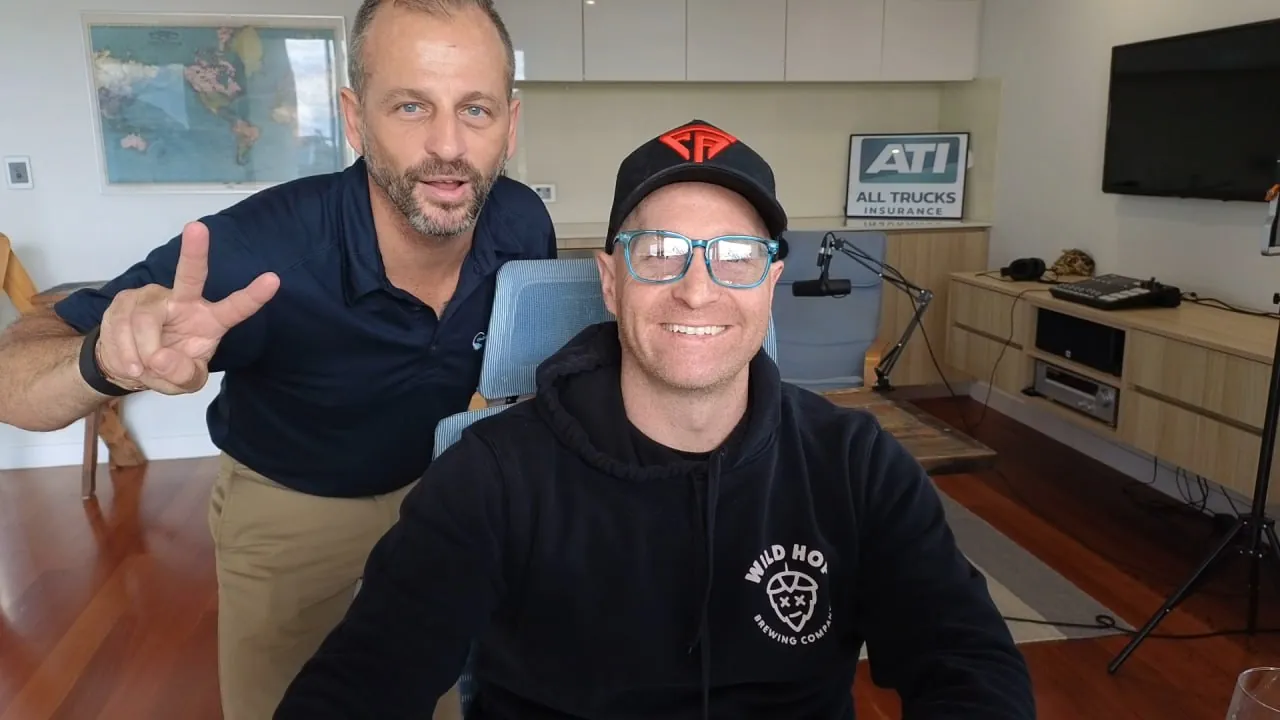
Paul from All Trucks Insurance is a good example. He started out as a client. Over time that became a business partnership, built on the relationship and on both of us keeping up our end of the deal.
That is the kind of partnership we look for with every business we work with, and it is an amazing thing when it happens.
If your business is set up to take calls and quote jobs, and you want to grow it properly, the Lead Launch Program is where to start.

Questions Business Owners Ask
Google says a verification review takes up to 5 business days. A postcard also has to arrive in the mail first. Verification can be instant when the website has already been verified in Google Search Console.
No. Google chooses the method based on your business type, public information, region and hours, and says it can't be changed. If video is offered, Google recommends using it.
Google suspends profiles that break its guidelines, and reinstatement does not fix the detail that was flagged. Check the business name against your signage, the address type, the service area and the categories, and fix any mismatch before your next edit.
Yes. Service-area businesses can verify, including by video. Hide your home address on the profile and set the area you travel to instead.
No. Google says not to create a new profile for the same business while an appeal is under review. Appeal with documents whose name and address match the profile.
You might. Google says a name change after verification can mean verifying again, so get the new name onto your signage and documents before you make the edit.
Two Ways To Win From This
Stay Visible In AI Search, Or Just Take The Leads
Do the work yourself and be the business the AI tools quote when somebody asks for your trade in your city. That is what everything above is for.
Or skip the build entirely and take the enquiries we already generate, exclusive to you, no shared leads and no bidding wars.
Either way, the fastest start is a conversation. Ring me and we will work out which one suits you.